Welcome to the Fall 2026 Semester
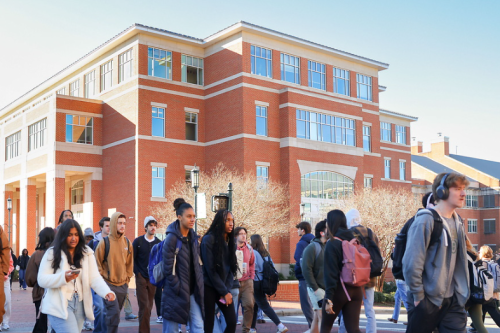
Welcome to the start of the Fall 2026 semester! The Office of OneIT is here to help you hit the ground running. Here are key updates, new tools, and helpful resources for the campus community:
Faculty
- Google Workspace for Education Plus: We have upgraded campus Google accounts to give you better tools for daily work. On Wednesday, July 29, 2026, at 6:00 a.m., all faculty and staff accounts moved to the new Education Plus license.
- Classroom Technology Updates: A Summer AV Refresh project brought updated audio-visual technology to 43 registrar-controlled classrooms across campus. Some refreshed classrooms also feature an updated podium login experience. Check out the full article for details, and contact Classroom Support if you need help.
- New Faculty Resources: Visit the Get Started Faculty Page to complete your OneIT orientation, download free software, and more!
- File & Data Storage Guide: Not sure where to save your files? Read our simple storage guide to learn about your options at UNC Charlotte.
- Canvas Crumbs: Stay ahead of the curve with Canvas Crumbs where you can find quick tips on new features that streamline your teaching and learning in Canvas.
Artificial Intelligence
- AI at Charlotte: Visit the redesigned aihub.charlotte.edu for tailored AI guides for faculty, staff, and students, plus the latest news.
- AI@Work Sessions: AI@Work is an online discussion series where we share those real-world experiences. This isn’t a boring lecture or a formal sales pitch. It’s a casual conversation where we can all learn together.
- Approved AI Software: Not sure whether or not software you want to use is “approved”? This list provides guidance on using campus-wide, specialized, and popular AI software with university data. If a department or individual wants to use free or premium specialized software, the Software & IT-Related Request Form must be submitted even if the software already appears on the list.
- Self-Paced AI Training: Learn how to use AI tools safely and responsibly with our self-paced online course for faculty and staff.
- Monthly IT Workshops: Explore new sessions on Google Gems and Gemini Notebooks. Check the IT Training page for schedules, or drop by an “open swim” session for one-on-one assistance.
- AI Simulations: log into the Learning and Development portal, click on Browse Training and search for (AI Simulator). Take advantage of over 200 options to learn and practice new skills with an AI Coach. Topics include”Giving Developmental Feedback”, “AI Ethics and Risk”, “Lead the Team – Leadership Influence”, “Irate Customer”
System Updates
- Eduroam Wi-Fi: The Eduroam wireless security certificate was updated on Wednesday, June 24, 2026. If prompted on your phone or laptop, click TRUST. If you cannot connect, use the network settings to “Forget” Eduroam and log in again (FAQ).
- Wired Network Updates (ISE): We updated network security across several campus buildings. Computers that do not meet minimum requirements will receive limited access. Check the update FAQ for troubleshooting tips and affected locations.
- New Dell Computer Experience: OneIT has updated nearly 3,000 university computers so far. As older computers break or retire over the next year, they will transition to the new setup. Reach out to the OneIT Service Desk with any questions.
General Reminders
- Salesforce Program: The Salesforce Program is a multi‑year effort led by OneIT to unify experiences, streamline service delivery, and strengthen data‑informed decision-making across campus. Learn more by visiting these dedicated pages.
- Perceptive Content to Softdocs Migration: UNC Charlotte is moving from Perceptive Content to Softdocs to make managing digital documents easier and more secure. Read more about the migration here.
- Home Network Security Updates: Windows security updates may change how university laptops connect to home devices. Home wireless printers or TV screen casting might stop working automatically. Read this article to learn how to troubleshoot.
- IT Skills Training: Build your technical skills this semester! Register for live training sessions covering AI, Google Workspace, Zoom, and more.
- Zoom Updates: Zoom has released new features to help you run smoother meetings and classes this fall. Check out the Zoom updates page to see what’s new.
We’re here to help!
If you have any additional questions, feel free to reach out to the OneIT Service Desk.